Week 10: Networking Part II
Huzzah!
This week, our projects centered around communicating via WiFi or Bluetooth with the Huzzah Feather board. We could either have our Huzzah serve us as a server (to which we could send information) or a client, requesting information from another source (in this case, an API). I decided to try to make both happen on my board to create an interactive experience for users (well, users being... me).
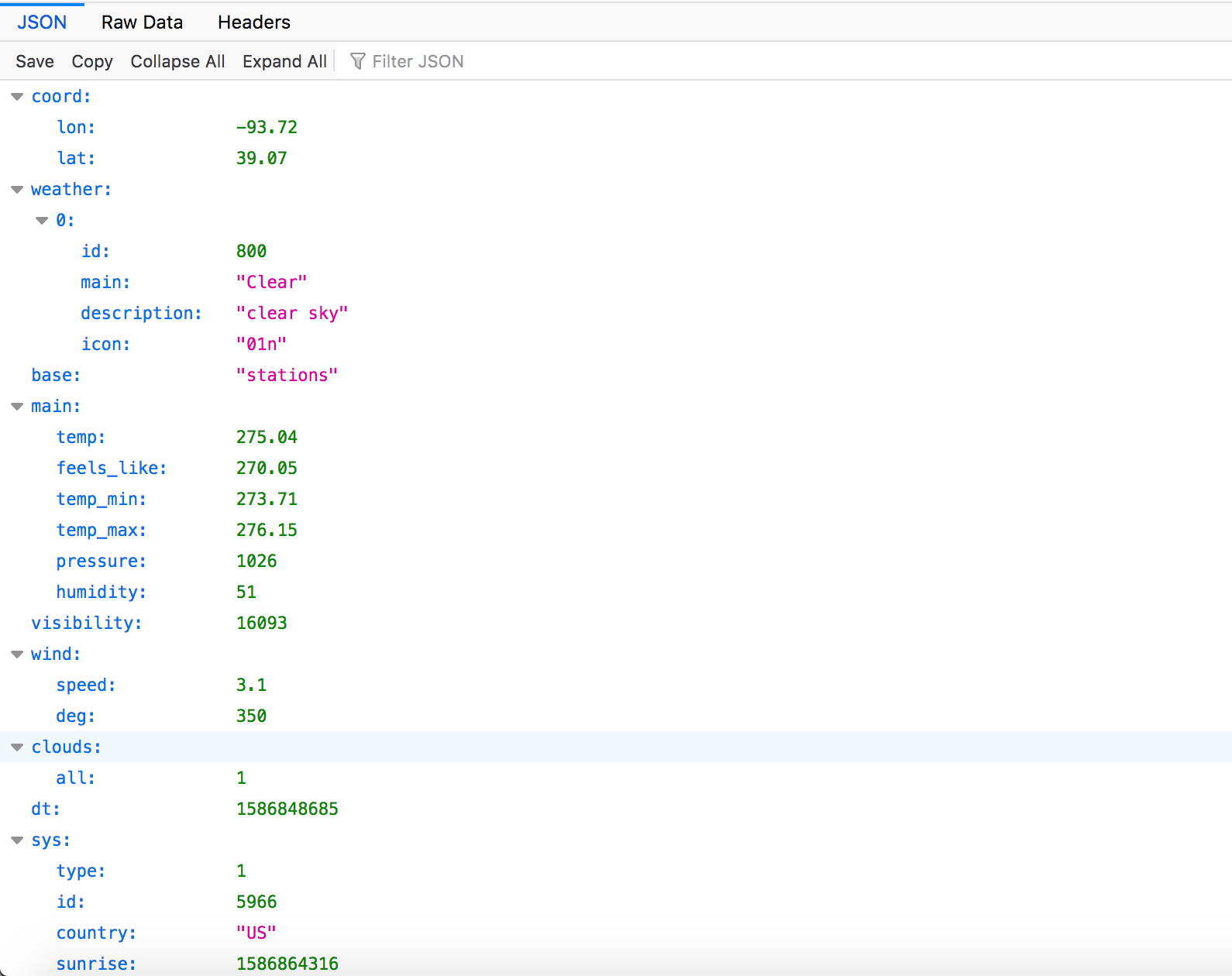
I began my process by working through the literature and trying the different tutorials made available by the teaching team. I ensured that my board could connect to WiFi successfully and worked through some issues with Baud rate (very finnicky, I must say!). I then graduated on to the HTTP client tutorial, as was my area of principal interest. In lieu of working with the NWS API, I decided to go out on a limb and use the OpenWeatherMap API (which looks maybe a bit less credible a platform but still worked great). I retrieved my API key and started making calls. You can behold at the right sample JSON output from the API for Higginsville, MO. The query inputs are a city's name and the ISO 360 country code (a two letter string). The GET call returns a wealth of information, including a general description, wind speed and direction, temperature in Kelvin (no less), and visibility.
With my API up and running, I moved along into the meat of what I wanted to do. My grand vision here was to create a weather visualization station where users could put in their city and country of origin (or, in the COVID-19 era, sequestration) and visualize their weather with output devices on the Arduino board. This involved three key steps:
- Use the Huzzah as a client to access the API
- Use the Huzzah as a server to receive and parse user inputs
- Use the Huzzah as, you know, a microcontroller to run some output devices.
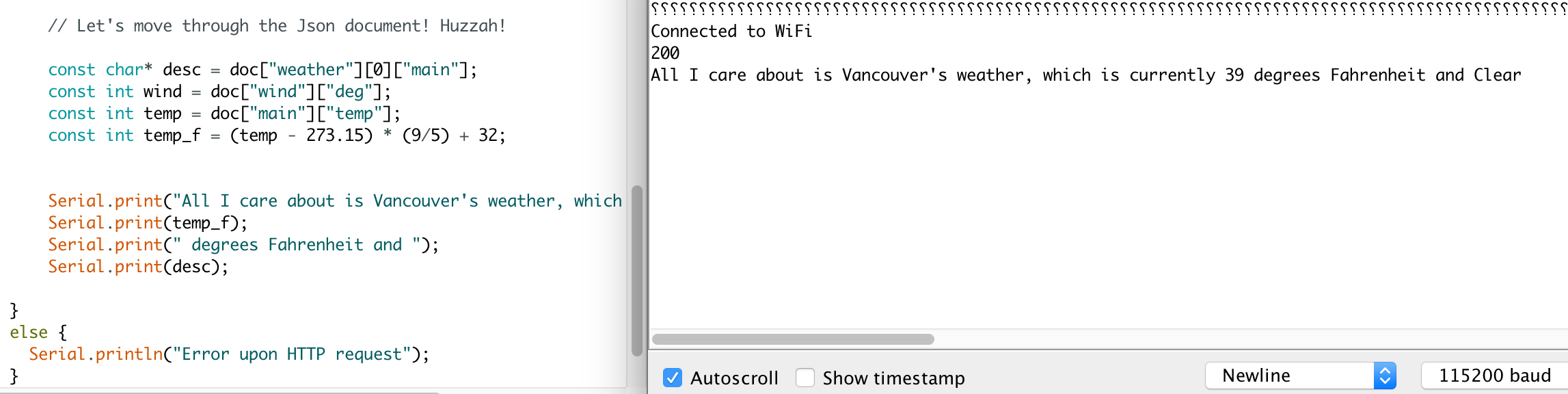
Above is one of my first successful API calls. To address aim number 2, I repurposed some tutorial code to open a server and receive a string from a client (in this case, my from my phone). I needed to rewrite this to house a submission form with two textboxes. The inputs to 'submit' are the country name and city name. My next big bottleneck was properly parsing the string to retrieve those query parameters. I used the substring and indexing function to find these and pull them out.
My next big step was to integrate these two functional parts (the server and client sides of things) into one functional script. With help from Nathan, I found the right order and finally had a script that did both! You can enjoy the dashing looks of my minimalist UI below. Hey, it works!
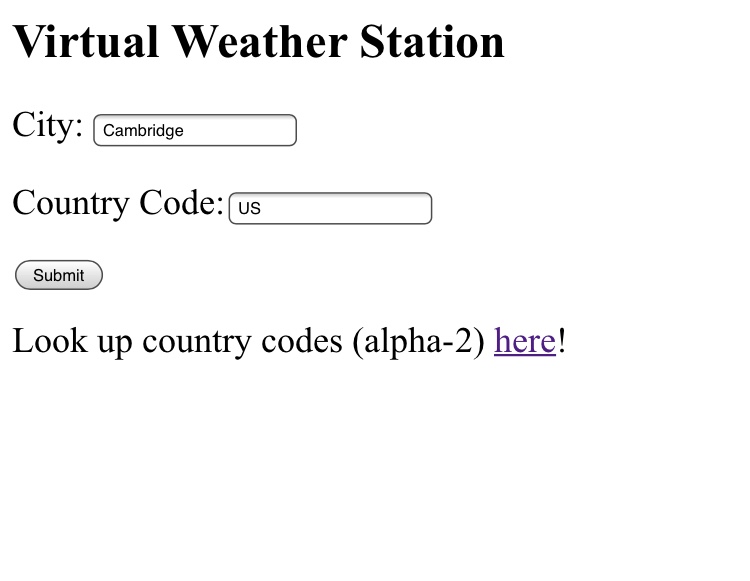
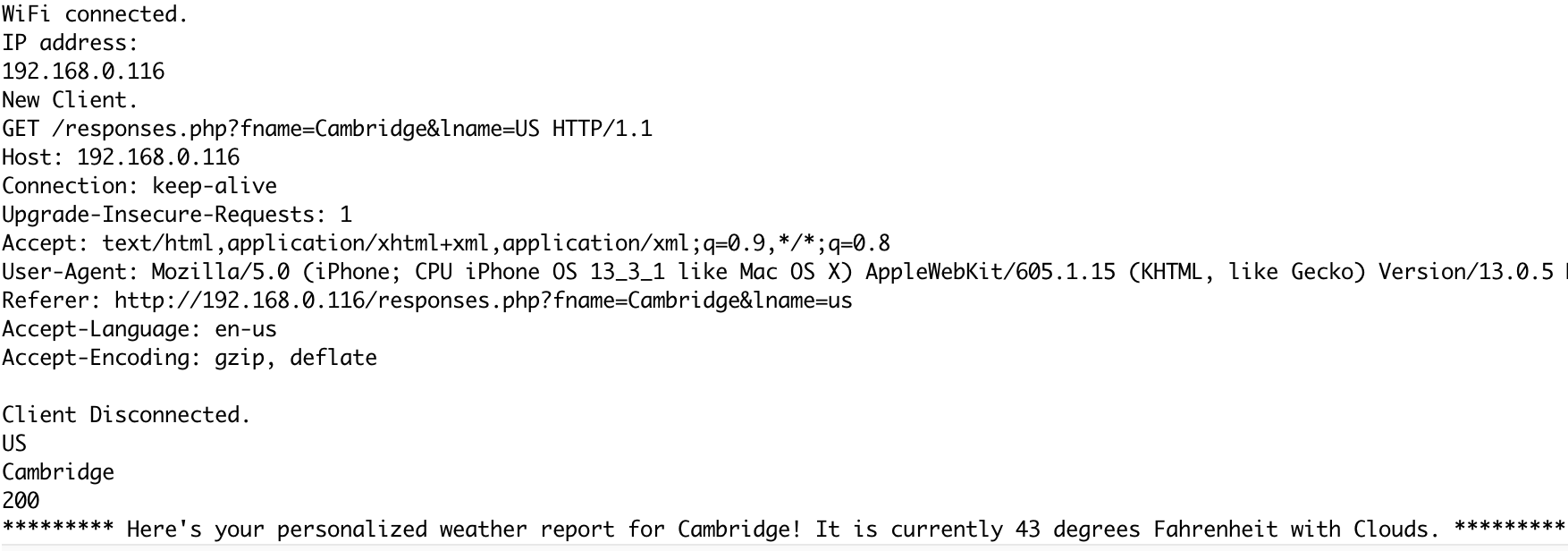
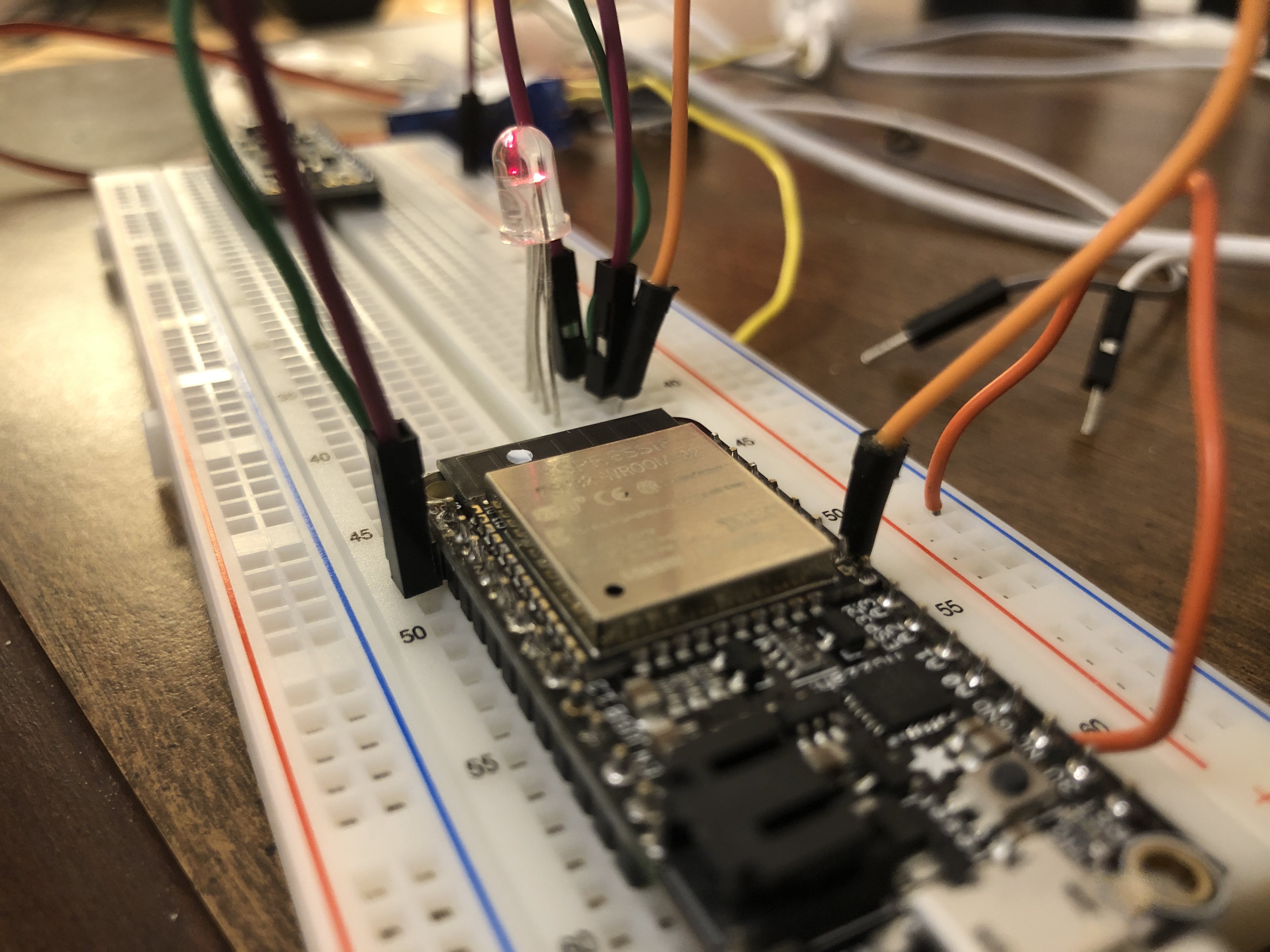
This may lead you to wonder, what about the weather visualization part? Well, I tried many different avenues and did not have all that much success. Currently, I have an RGB LED in place that identifies what type of weather a place is experiencing (green for clear, blue for rain, so on). However, I had a great deal of trouble bridging other output devices with the Huzzah -- it rejected the Servo, and I was struggling with the LED strip (which only just now is working!). However, I will keep trying to make this work and end up with a proper 'visualizer'! Below is my current situation (denoting clouds).
My code is available for download here! The code included below is abbreviated slightly.
  #include
  #include
  #include
  #include

  #define PIN 5
  #define NUMPIXELS 10

  const char* ssid     = "-----";
  const char* password = "-----";
  //int red_pin = 5; // in this case, the SCK pin on the Feather
  //int green_pin = 22; // SCL pin
  //int blue_pin = 23; // SDA pin
  String readString ; // string to hold client input
  const String endpoint = "http://api.openweathermap.org/data/2.5/weather?q=";
  const String comma = ",";
  const String api_setup = "&APPID=";
  const String key = "ef20d2683a6976d999ce5afecb8e2d88";
  WiFiServer server(80);
  Adafruit_NeoPixel strip(NUMPIXELS, PIN, NEO_GRB + NEO_KHZ800);

  void setup() {
    Serial.begin(115200);
    delay(10);
    // We start by connecting to a WiFi network
    Serial.println();
    Serial.println();
    Serial.print("Connecting to ");
    Serial.println(ssid);
    WiFi.begin(ssid, password);
    while (WiFi.status() != WL_CONNECTED) {
      delay(500);
      Serial.print(".");
    }
    Serial.println("");
    Serial.println("WiFi connected.");
    Serial.println("IP address: ");
    Serial.println(WiFi.localIP());
    server.begin();

    strip.begin();
    strip.show();
    strip.setBrightness(10);
  }
  int value = 0;
  int i = 0;
  void loop() {

    readString = "";
    WiFiClient client = server.available();   // listen for incoming clients
    if (client) {                             // if you get a client,
      Serial.println("New Client.");           // print a message out the serial port
      String currentLine = "";                // make a String to hold incoming data from the client
      while (client.connected()) {            // loop while the client's connected
        if (client.available()) {             // if there's bytes to read from the client,
          char c = client.read();             // read a byte, then
          Serial.write(c);
          if (readString.length() < 135) {
            readString += c;
            //Serial.print(c);
          }
          //Serial.println(readString);
          if (c == '\n') {                    // if the byte is a newline character
            // if the current line is blank, you got two newline characters in a row.
            // that's the end of the client HTTP request, so send a response:
            if (currentLine.length() == 0) {
              // HTTP headers always start with a response code (e.g. HTTP/1.1 200 OK)
              // and a content-type so the client knows what's coming, then a blank line:
              client.println("HTTP/1.1 200 OK");
              client.println("Content-type:text/html");
              client.println();
              // the content of the HTTP response follows the header:


      // close the connection:
      client.stop();
      Serial.println("Client Disconnected.");
      int index1 = readString.indexOf('=');
      int index2 = readString.indexOf('&');
      int index3 = readString.lastIndexOf('=');
      int index4 = index3 + 1;
      int index5 = index4 + 2;
      String cityName = readString.substring(25, index2);
      String countryName = readString.substring(index4, index5);

      Serial.println(countryName);
      Serial.println(cityName);
      HTTPClient http;
      http.begin(endpoint + cityName + comma + countryName + api_setup + key);
      int httpCode = http.GET();
      if (httpCode > 0) {
        String payload = http.getString();
        Serial.println(httpCode); // let's see if our API call was successful! Shooting for 200
        // Serial.println(payload); don't want to see the full payload!
        DynamicJsonDocument doc(10000);
        DeserializationError error = deserializeJson(doc, payload);
        if (error) {
          Serial.print(F("deserializeJson() failed: "));
          Serial.println(error.c_str());
          return;
        }
        // Let's move through the Json document! Huzzah!
        const char* desc = doc["weather"][0]["main"];
        const int wind = doc["wind"]["deg"];
        const int up_wind = wind / 2;
        const int temp = doc["main"]["temp"];
        const int temp_f = (temp - 273.15) * (9 / 5) + 32;
        Serial.print("Here's your personalized weather report for ");
        Serial.print(cityName);
        Serial.print("! ");
        Serial.print("It is currently ");
        Serial.print(temp_f);
        Serial.print(" degrees Fahrenheit and ");
        Serial.print(desc);
        Serial.print(".");

      http.end();

      // At this point, I am trying to link up weather descriptions from the API call (the 'desc' var) with corresponding outputs on the LED strip.

      if (desc = "Clouds") {
            strip.clear();
            strip.setPixelColor(1, strip.Color(150, 150, 150));
            strip.setPixelColor(2, strip.Color(150, 150, 150));
            strip.setPixelColor(3, strip.Color(150, 0, 0));
            strip.setPixelColor(4, strip.Color(0, 150, 0));
            strip.setPixelColor(5, strip.Color(0, 0, 150));
            strip.show();
        }

        if (desc = "Clear") {
           strip.clear();
            strip.setPixelColor(1, strip.Color(0, 0, 150));
            strip.setPixelColor(2, strip.Color(0, 0, 150));
            strip.setPixelColor(3, strip.Color(0, 0, 150));
            strip.setPixelColor(4, strip.Color(0, 0, 150));
            strip.setPixelColor(5, strip.Color(0, 0, 150));
            strip.show();
        }

        if (desc = "Rain") {
         strip.clear();
            strip.setPixelColor(1, strip.Color(0, 0, 150));
            strip.setPixelColor(2, strip.Color(0, 0, 150));
            strip.setPixelColor(3, strip.Color(0, 0, 150));
            strip.setPixelColor(4, strip.Color(0, 0, 150));
            strip.setPixelColor(5, strip.Color(0, 0, 150));
            strip.show();
        }

        if (desc = "Haze") {
           strip.clear();
            strip.setPixelColor(1, strip.Color(0, 0, 150));
            strip.setPixelColor(2, strip.Color(0, 0, 150));
            strip.setPixelColor(3, strip.Color(0, 0, 150));
            strip.setPixelColor(4, strip.Color(0, 0, 150));
            strip.setPixelColor(5, strip.Color(0, 0, 150));
            strip.show();
        }
        else {
           strip.clear();
            strip.setPixelColor(1, strip.Color(150, 150, 150));
            strip.setPixelColor(2, strip.Color(150, 150, 150));
            strip.setPixelColor(3, strip.Color(150, 0, 0));
            strip.setPixelColor(4, strip.Color(0, 150, 0));
            strip.setPixelColor(5, strip.Color(0, 0, 150));
            strip.show();
        }
      }
      else {
        Serial.println("Error upon HTTP request");
      }
    }

    delay(3000);
  }